Step 1
Connect
Launch the installation package, follow the on-screen instructions, and you're ready to go. No migration required.
Axelerator has been redesigned from the ground up for a faster, smoother workflow. Version 5.0 is now available with a refreshed interface, improved performance, and powerful new features.
A plugin for AutoCAD Plant 3D
Works with existing projects. No migration required.
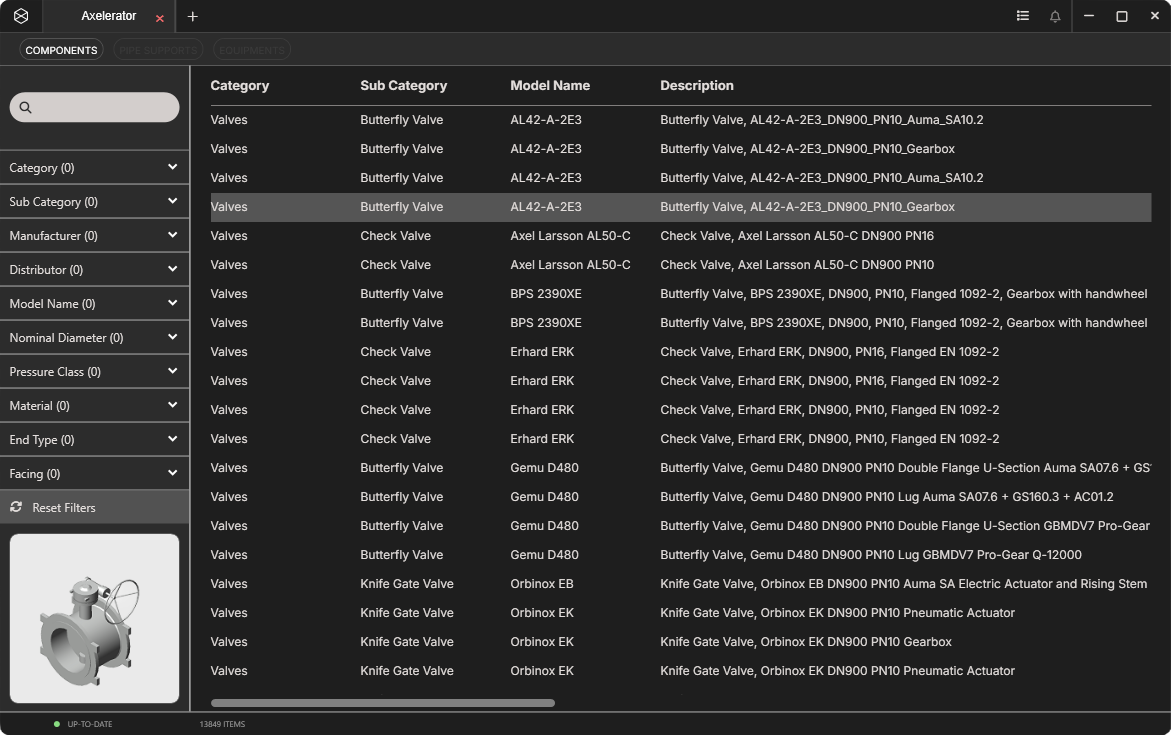







With faster performance, a refreshed and intuitive interface, and new
tools for finding and organising components Axelerator 5.0 helps teams complete tasks
with even less effort and greater accuracy than before.
Highlights include:
Keep frequently used components in one dedicated place for quick access.
Filter components using free text and find exactly what you need more quickly.
Easier navigation in a cleaner and more intuitive environment.
Experience a faster, more stable system for smoother workflows.
Axelerator 5.0 is another step towards better productivity and smoother project execution.
See it for yourselfWatch how fast it is to search, filter and insert components with Axelerator 5.0
Axelerator provides 14.000+ manufacturer-specific, Python-driven components.
The library is continuously growing and all components are generated directly from manufacturer data.
Axelerator is designed to integrate seamlessly into your existing Plant 3D environment.
All you need to do is run the installation package and you are good to go.
No migration or project restructuring needed.
Step 1
Launch the installation package, follow the on-screen instructions, and you're ready to go. No migration required.
Step 2
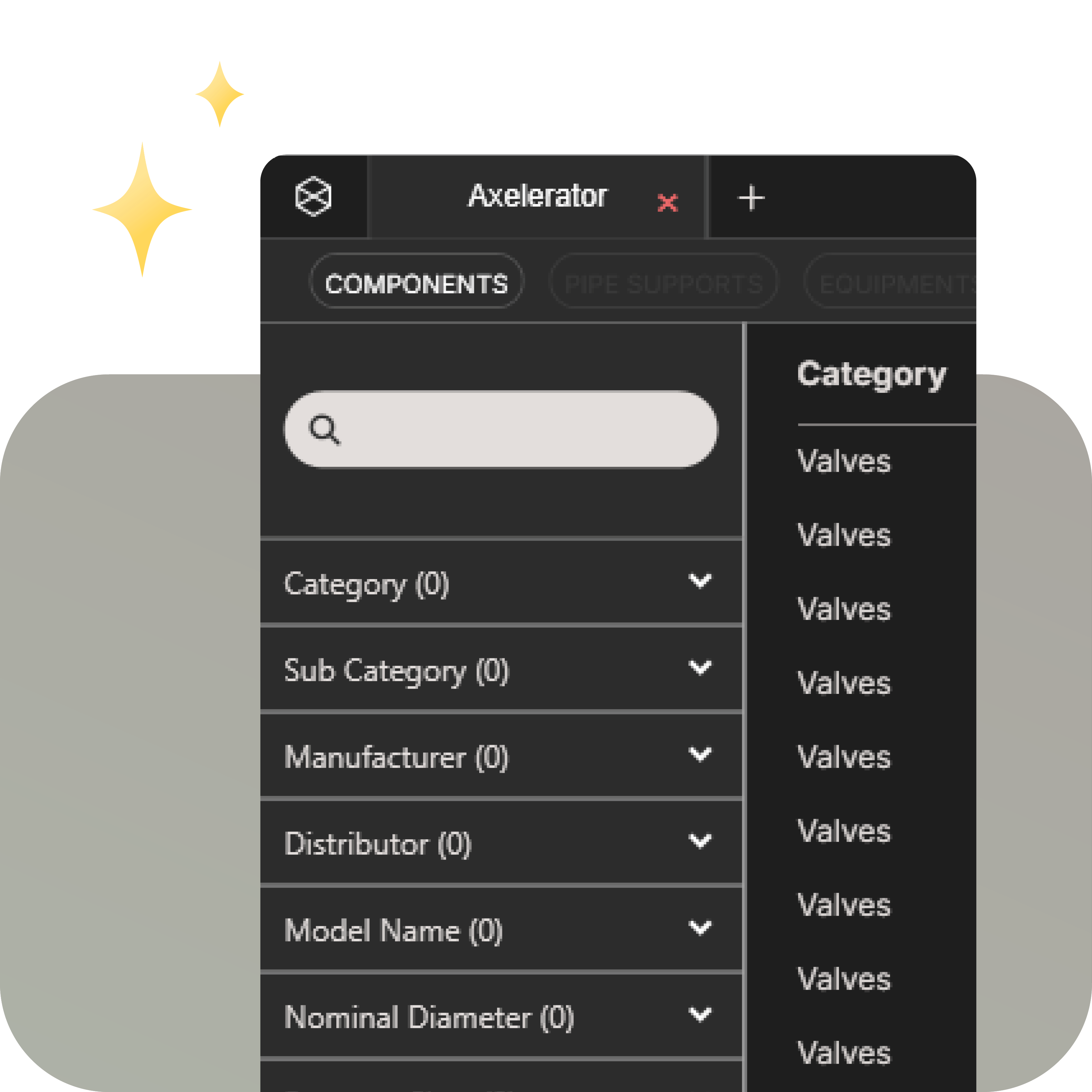
Search across class, size, manufacturer and more. Filter in real-time and simply insert your chosen model.
Step 3
Your license includes continuous access to our regularly updated component library.
By removing assumptions, manual fixes, and rework, Axelerator helps teams work faster,
produce cleaner drawings, reduce errors, and maintain full confidence in their Plant 3D workflow.
Every component is fully spec-aware and includes all critical metadata required for accurate
models, reliable isometrics, BOMs, and downstream deliverables, ensuring consistency in your work process.
Axelerator helps Plant 3D teams reduce repetitive work, avoid unnecessary file handling, and keep component data consistent across projects, so that engineers can spend more time on design and less time on searching and rebuilding.
Axelerator uses dynamic, parametric Python models instead of static files. Standard .STEP piping components can make projects heavy and slow. Axelerator's python components help teams keep drawings lighter, more stable, and easier to work with throughout the project.

Heavy drawings slow teams down, using Axelerator’s components make a significant positive difference. In a real-world comparison, drawings created with our components were 5 times lighter than drawings built with traditional STEP based components.
Axelerator helps engineering teams reduce the cost of poor data quality by providing components
with the metadata needed for accurate models and downstream deliverables.
By standardizing component data from the start, teams can reduce late-stage corrections,
and use engineering resources more effectively.
COMPONENT DATA INCLUDES
AND MORE...
With documentation close at hand, engineers can verify component details faster and make better-informed decisions. In Axelerator, components are linked to datasheets and product information, so teams spend less time searching for technical specs.
Save frequently used components as favourites to make your work faster and more consistent. Instead of filtering for the same selections over and over, teams can quickly access the components they use most often.
Rotate actuators to check clearances and installation requirements before issues reach the field. By adjusting positions directly in the model, teams can identify potential clashes and reduce installation uncertainty to avoid costly rework.
No more hunting for STEP files or juggling pipe spec versions. Axelerator removes repetitive component work, reduces manual file handling, and gives the whole team access to the same updated library. The result is a smoother workflow, fewer assumptions, cleaner documentation, and less time spent fixing avoidable problems.
Find exactly what you need in seconds using our robust multi-parameter filtering system.
Components with consistent metadata help improve documentation quality.
Everyone works from the same source of component data, improving consistency between engineers, and projects.
TRUSTED BY:



Download the free trial or book a walkthrough with our team.